We are supported by our audience. When you purchase through links on our site, we may earn an affiliate commission, at no extra cost for you. Learn more. Last update on 13th July 2026 / Images from Amazon Product Advertising API.
STL files are the universal standard for 3D printing, standing for stereolithography and representing your 3D models as triangular mesh surfaces. You’ll find two formats: ASCII text files and binary files, with binary being three times smaller and 75% faster to process. These files convert your CAD designs into printable geometry by breaking down surfaces into thousands of triangles without color or texture data. Understanding STL optimization and mesh quality becomes essential for successful prints.
Notable Insights
- STL files are the industry standard format for 3D printing, representing object surfaces using triangular mesh geometry without color or texture data.
- STL stands for stereolithography and was developed by 3D Systems in 1987 to transfer CAD models to 3D printers efficiently.
- Two STL formats exist: ASCII and binary, with binary files being smaller and processing up to 75% faster than ASCII versions.
- STL files must be watertight with properly oriented triangles to ensure successful printing without structural defects or errors.
- STL files serve as the critical link between CAD software and slicing programs in the 3D printing workflow.
Understanding the STL File Format
When you’re working with 3D printing, you’ll encounter STL files as the backbone of nearly every project. STL stands for stereolithography, developed by 3D Systems in 1987 for their first commercial 3D printers.
This format represents your object’s outer surface using a mesh of triangles without color, texture, or scale data.
You’ll find two STL formats: ASCII and binary. Binary files are preferred for their smaller size and faster processing. The format functions purely as surface geometry representation, lacking material properties or internal structure data.
STL compatibility remains universal across 3D printing software, making it the industry standard. Higher resolution STL files use smaller triangles to create more accurate shape approximation of your 3D model. Models must be watertight to ensure successful printing without structural defects.
However, STL alternatives like OBJ or AMF offer enhanced features including color and texture support for more advanced applications.
Technical Structure and Mesh Composition
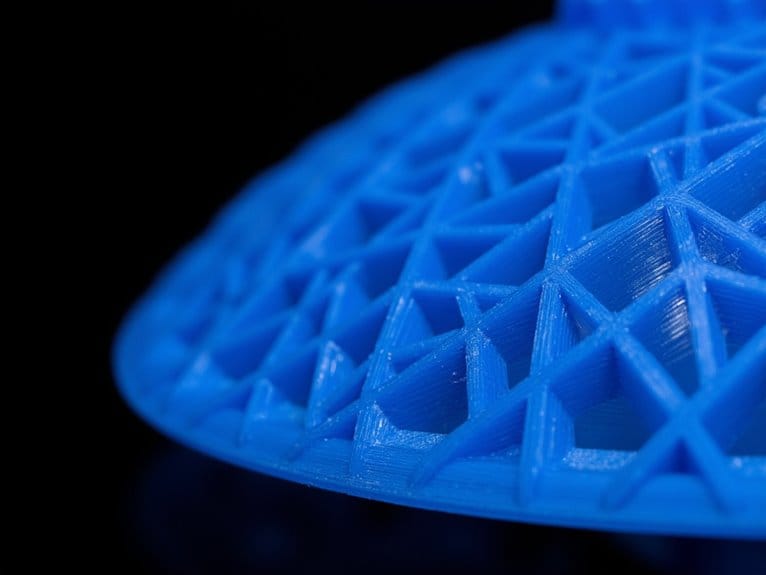
While STL files appear as simple digital containers, their internal structure operates through a sophisticated triangular mesh system that transforms complex 3D geometries into printable data.
Each triangle connects through three vertices with shared edges, creating a watertight surface essential for successful printing. You’ll find that mesh optimization techniques directly impact both file size and print quality-smaller triangles provide higher detail but increase computational load.
Mesh optimization creates a critical balance between print detail and file efficiency through strategic triangle sizing and vertex connectivity.
Triangle orientation rules guarantee consistency throughout the mesh. Each triangle’s vertices must follow counterclockwise ordering according to the right-hand rule, with normal vectors pointing outward from the surface. This prevents non-manifold geometries that cause slicing errors.
Your mesh must maintain closed surfaces where edges connect exactly two triangles, eliminating gaps that would compromise structural integrity during printing. The tessellation process systematically converts curved surfaces into these triangular facets, enabling 3D printers to interpret complex geometries accurately.
Historical Development by 3D Systems
You’ll find the STL file format‘s origins trace directly back to 3D Systems‘ groundbreaking work in 1987, when Chuck Hull and his engineering team created it as the essential bridge between CAD design software and their revolutionary stereolithography machines.
The format emerged from practical necessity-Hull’s SLA-1 printer, launched in 1988, needed a standardized method to interpret 3D geometry data and convert it into precise UV laser paths for layer-by-layer photopolymer curing.
What started as 3D Systems’ proprietary solution quickly evolved into the industry’s universal standard, establishing the fundamental data exchange protocol that you still use in virtually every 3D printing workflow today.
1987 Format Creation
Back in the mid-1980s, Chuck Hull and his team at 3D Systems tackled a fundamental problem that would shape the entire additive manufacturing industry: how to translate complex CAD models into a format that early 3D printers could actually understand and process.
Their solution became the STL format-a revolutionary approach that tessellated 3D surfaces into triangular facets. Each triangle contained three vertex coordinates and a normal vector defining surface orientation. The format advantages were immediately clear: STL files processed quickly on limited computing hardware while maintaining geometric accuracy.
Hull’s team designed STL specifically for file interoperability across different platforms. They created both ASCII and binary versions, trading detailed material information for universal compatibility.
This simplified polygonal representation became the bridge between sophisticated CAD software and emerging stereolithography machines, establishing the foundation for commercial 3D printing.
Stereolithography Technology Integration
Three years after creating the STL format, Chuck Hull’s team at 3D Systems faced their next challenge: engineering a machine that could actually bring those digital triangular meshes to life.
The SLA-1 printer launched in 1988, transforming those geometric coordinates into physical prototypes through precise UV laser control.
You’ll find that stereolithography advancements during this period focused on laser precision and build platform reliability.
The system cured photopolymer resin layer by layer, with each 0.1mm thickness requiring exact positioning.
Resin material innovations expanded beyond basic acrylates to include flexible and ceramic-filled formulations.
This integration established rapid prototyping as a legitimate manufacturing process.
Engineers could now produce functional parts in hours rather than weeks, revolutionizing product development cycles across automotive and aerospace industries permanently.
Industry Standard Evolution
While 3D Systems launched the SLA-1 in 1988, the company’s broader mission centered on establishing extensive industry standards that would define additive manufacturing for decades. The STL file format became the universal language for 3D printing, enabling cross-platform compatibility across different manufacturers.
| Standard Component | Implementation Year | Impact Level | Adoption Rate |
|---|---|---|---|
| STL File Format | 1988 | High | 95%+ |
| Digital Slicing | 1988 | Critical | 100% |
| Layer Processing | 1989 | High | 90%+ |
| UV Curing Protocol | 1990 | Medium | 75% |
STL advancements drove industry disruptions by standardizing how 3D objects transfer between software platforms. You’ll find STL adoption accelerated when 3D Systems consolidated 16 companies by 2011, creating an integrated 3D ecosystem. This consolidation established technical protocols that competitors adopted, cementing 3D Systems’ foundational role in modern additive manufacturing standards.
Role in the 3D Printing Workflow
When you design a 3D model and prepare it for printing, STL files function as the critical bridge between your CAD software and the 3D printer’s slicing program.
Your CAD model gets converted into a mesh of interconnected triangles that captures surface geometry without color or texture data.
STL file advantages include universal compatibility across platforms and simplified geometric representation that accelerates processing. The binary format reduces file size while maintaining shape accuracy.
However, stl printing challenges arise from mesh approximation of curved surfaces, which can introduce faceting artifacts. Triangle density affects both file size and surface smoothness.
During slicing, the software reads your STL’s triangle mesh to calculate layer cross-sections and toolpaths.
This process transforms three-dimensional geometry into sequential two-dimensional instructions your printer executes layer by layer.
ASCII Vs Binary Format Differences
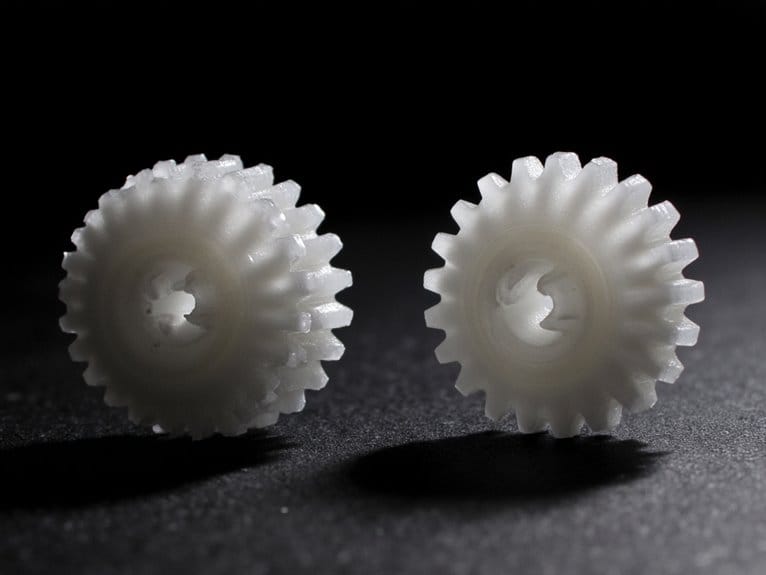
When you’re working with STL files, you’ll encounter two distinct encoding formats that handle the same 3D geometry data very differently.
Binary STL files compress your model data into a compact format that’s markedly smaller than ASCII files, which store everything as human-readable text with verbose character representations.
This size difference between formats directly impacts how quickly your slicing software can process the file and how much storage space your models consume on your system.
File Size Comparison
Binary STL files deliver three times the space efficiency compared to their ASCII counterparts, making them the clear winner for storage and transfer operations.
You’ll see dramatic differences in file management when dealing with complex models. A single ASCII STL can consume 300MB while the identical binary version requires only 100MB, directly impacting your storage optimization strategy.
This transfer efficiency becomes essential for workflow agility in production environments. Binary encoding eliminates text overhead, compressing geometric data into compact blocks.
However, you’ll sacrifice editing potential since binary files aren’t human-readable. Your format preferences should balance space constraints against modification needs.
Most CAD export options default to binary STL, recognizing that model complexity scales poorly with ASCII text encoding for professional applications.
Processing Speed Impact
Processing speed differences between ASCII and binary STL formats create notable workflow implications that’ll directly affect your 3D printing operations.
Binary STL files process considerably faster due to their compact binary encoding, reducing processing time by up to 75% compared to ASCII formats. Your slicing software must parse human-readable text in ASCII files, creating computational overhead that increases with model complexity.
Performance metrics show binary files enable quicker uploads, downloads, and rendering operations. The fixed-length binary data blocks allow rapid read operations, while ASCII’s variable text structure demands more CPU cycles.
File conversion from ASCII to binary delivers immediate speed optimization benefits, especially for high polygon count models. Modern CAD software optimizes binary STL handling, reducing memory overhead and improving processing reliability during print preparation workflows.
Stereolithography and Resin Printing Applications
As one of the most precise additive manufacturing technologies available today, stereolithography (SLA) transforms liquid photopolymer resins into solid parts through controlled UV light exposure.
You’ll find SLA applications spanning multiple industries due to their exceptional accuracy and surface quality. Medical modeling relies on biocompatible specialty resins for surgical guides and anatomical models.
Consumer design benefits from fine detail capabilities for jewelry and figurines. Automotive applications utilize high-strength resins for tooling and fixtures, while aerospace components demand lightweight materials meeting strict engineering specifications.
SLA’s versatility shines across industries, from intricate jewelry details to high-performance aerospace components requiring precise engineering specifications.
Prototype validation becomes more reliable with isotropic resin characteristics that provide consistent mechanical properties. The 355nm wavelength compatibility allows you to select from diverse specialty resins tailored for specific performance requirements, making SLA ideal for both functional prototypes and end-use production parts.
File Size and Resolution Considerations
When working with STL files for 3D printing, understanding the relationship between file size and resolution becomes essential for successful print outcomes.
Resolution settings directly impact triangle count and storage requirements. Binary STL files calculate as 80 bytes plus triangle count multiplied by 50 bytes.
Key file enhancement strategies include:
- Use binary format – Reduces file size 5-10× compared to ASCII format
- Set chordal tolerance around 0.1mm – Balances quality with manageable file size
- Keep desktop printer files under 20MB – Prevents memory overflow and processing delays
- Maintain angular tolerance at 1 degree – Controls triangle density without sacrificing detail
Desktop FDM printers handle 2-5 million triangles effectively, while industrial machines process up to 50 million triangles efficiently.
Common Limitations and Drawbacks
Despite STL files’ widespread adoption in 3D printing, several significant limitations constrain their effectiveness across different printing technologies and applications.
SLA disadvantages include material limitations that restrict you to thermosetting resins with inferior mechanical properties compared to FDM alternatives.
You’ll encounter resin challenges involving photosensitivity and poor UV resistance.
Cost constraints emerge from expensive equipment and consumables, while post processing hurdles demand extensive washing, curing, and support removal.
Environmental implications arise from toxic resin disposal requirements and safety protocols.
Maintenance demands include frequent replacement of screens, optics, and filters.
These material limitations prevent high-stress applications, and production inefficiencies limit batch capacity and throughput capabilities.
Software Compatibility and Industry Standards
While STL files present certain technical limitations, their software compatibility remains unmatched across the 3D printing ecosystem.
You’ll find STL support across nearly all major CAD programs and slicing software without significant compatibility issues.
The format’s widespread adoption stems from several key advantages:
- Universal acceptance – SolidWorks, AutoCAD, Blender, and Fusion 360 all support STL natively
- Binary format efficiency – Smaller file sizes guarantee cross-platform compatibility
- Legacy system support – Backward compatibility with older 3D printing equipment
- Industry standardization – Developed by 3D Systems in 1987, STL remains the de facto standard
However, file conversion challenges arise when models contain errors like non-manifold edges or intersecting triangles.
Modern workflows increasingly incorporate automated repair tools to address these compatibility issues, guaranteeing reliable printing outcomes.
On a final note
You’ll find STL files remain the foundation of 3D printing workflows despite their limitations. They’re universally compatible across slicing software and printer platforms. While newer formats offer enhanced features, STL’s simplicity guarantees reliable mesh translation from CAD to physical objects. You can’t avoid occasional mesh errors or large file sizes, but STL’s proven track record makes it your most dependable choice for consistent printing results across different technologies and applications.